ERA ENTERPRISE APPLICATIONS

Take Control of Your Supplier Onboarding Processes with Vendor IQ

Vendor IQ is a digital supplier onboarding platform that manages the end-to-end processes of evaluating, verifying, approving and transferring supplier candidates to your ERP system.

It prevents organizations from creating unnecessary, incomplete or uncontrolled supplier records; and offers a traceable, role-based and reliable process structure between procurement, supplier, approver and ERP teams.

Supplier Evaluation Dynamic Question Sets Role-Based Approval Processes Multi-Language Support ERP Integration
PRE-ERP TRANSFER CONTROL PROCESS
1
Procurement — Initiate Process
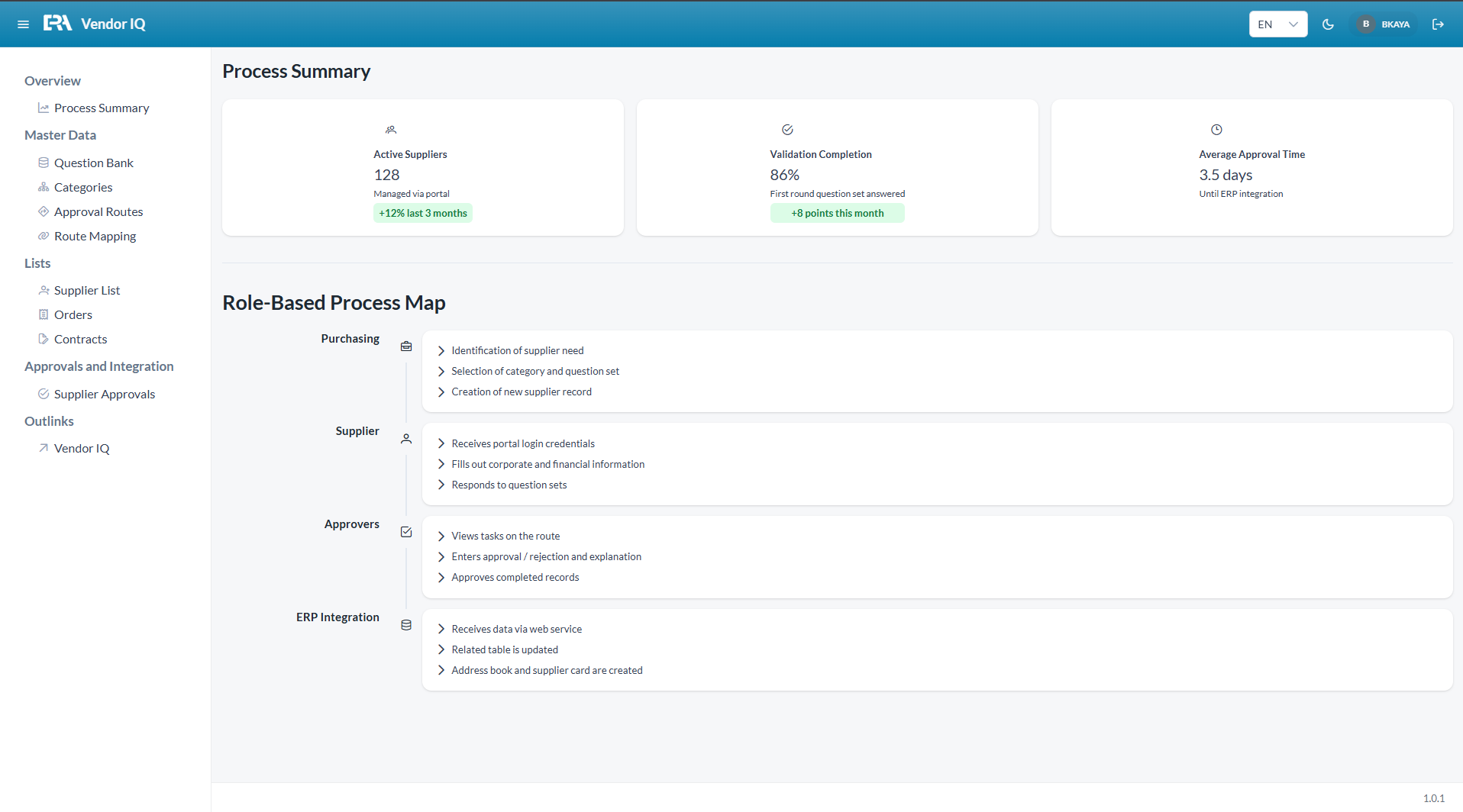
Category selection, question set assignment and supplier record creation
2
Supplier — Complete Portal
Fills in company information, financial data and question sets via their own portal
3
Approvers — Evaluate
Sequential evaluation and decision through role-based approval route
4
ERP — Controlled Transfer
Only approved supplier data is transferred to ERP via web services
WHY VENDOR IQ?
Uncontrolled Supplier Records Create Risk in ERP Processes
The creation of unnecessary, incomplete or unverified supplier records in ERP systems can lead to data pollution, operational confusion and compliance risk. Vendor IQ ensures that supplier records go through a standard, traceable and approved process before being transferred to ERP.
Unnecessary Supplier Records
Supplier records that will not actually be used or have not been approved should be prevented from being created in ERP.
Incomplete or Erroneous Company Data
When tax information, contact data, category and evaluation details are incomplete, master data quality decreases.
Manual Email and Excel Processes
Collecting supplier information via email or Excel creates tracking and verification difficulties.
Non-Standard Evaluation
Different criteria are required for each supplier type; non-standard processes reduce decision quality.
Scattered Approval Mechanisms
Who approves, in what order it progresses, and at what stage the process is cannot be clearly tracked.
Uncontrolled Data Transfer to ERP
Transferring data that has not gone through sufficient verification and approval to ERP creates operational risk.
INTELLIGENT SUPPLIER ONBOARDING PLATFORM
Digitalize Supplier Evaluation, Approval and ERP Transfer
Vendor IQ ensures that supplier candidates are evaluated with organization-specific criteria, information is collected via a portal, routed through role-based approval processes, and only approved records are transferred to ERP.
Supplier Evaluation
Supplier candidates are evaluated with organization-specific question sets, category criteria and scoring structures.
Verification and Approval
Company information, evaluation responses and documents are controlled through approval routes.
Dynamic Question Sets
Different question sets, answer types, required fields and scoring structures can be defined for different supplier types.
Role-Based Process Management
Procurement, supplier, approver and ERP teams each take on tasks according to their role in the process.
Multi-Language Support
Suppliers can complete their information and responses more easily with a language-specific portal experience.
ERP Integration
Approved supplier data is transferred to ERP in a controlled and traceable manner.
DOCUMENT VALIDITY TRACKING
Automated Tracking and Renewal Process for Expiring Supplier Documents

The validity dates of time-sensitive documents received from suppliers — such as certificates, policies or compliance documents — are tracked by Vendor IQ. As expiry approaches, the system activates: it notifies both the relevant managers and the supplier, and automatically sends the updated question set and form to the supplier to initiate the renewal process. No manual tracking, reminders or email follow-up is needed.
1
Document uploaded, validity date recorded
Expiry information entered into system
2
Manager notified as expiry approaches
Automatic notification sent
3
Updated form sent to supplier
New portal link sent via email
4
Supplier uploads new document
Evaluation and approval restarts
5
Cycle repeats automatically
New validity date recorded
Blacklist and Termination
If it is decided to no longer work with a supplier or they have been blacklisted, the system stops the renewal process; notifications and form sending are automatically terminated.
PRODUCT SCREENS
Explore the Platform
Every step of the supplier onboarding process is traceable, manageable and reportable through Vendor IQ.
QUESTION BANK AND CATEGORY MANAGEMENT
Organization-Specific Evaluation Structure
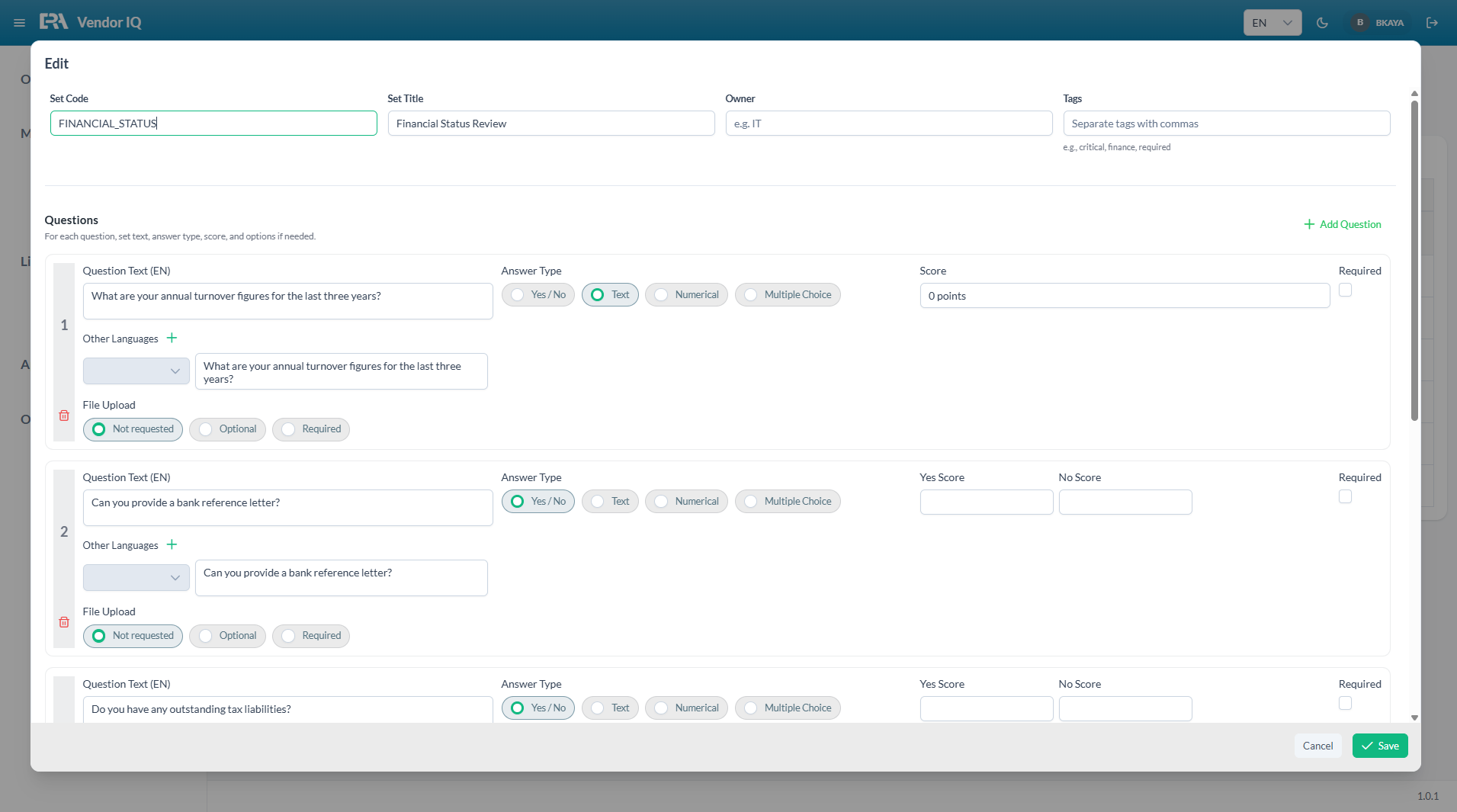
Unlimited question sets, category-based criteria and risk-focused evaluation structures are defined for different supplier types.
Question Set Management
SUPPLIER PORTAL
Self-Service Supplier Experience
The supplier updates company information, uploads documents and completes question sets via their own portal.
Supplier Portal
SUPPLIER CONTROL PANEL
Centralized Management and Tracking
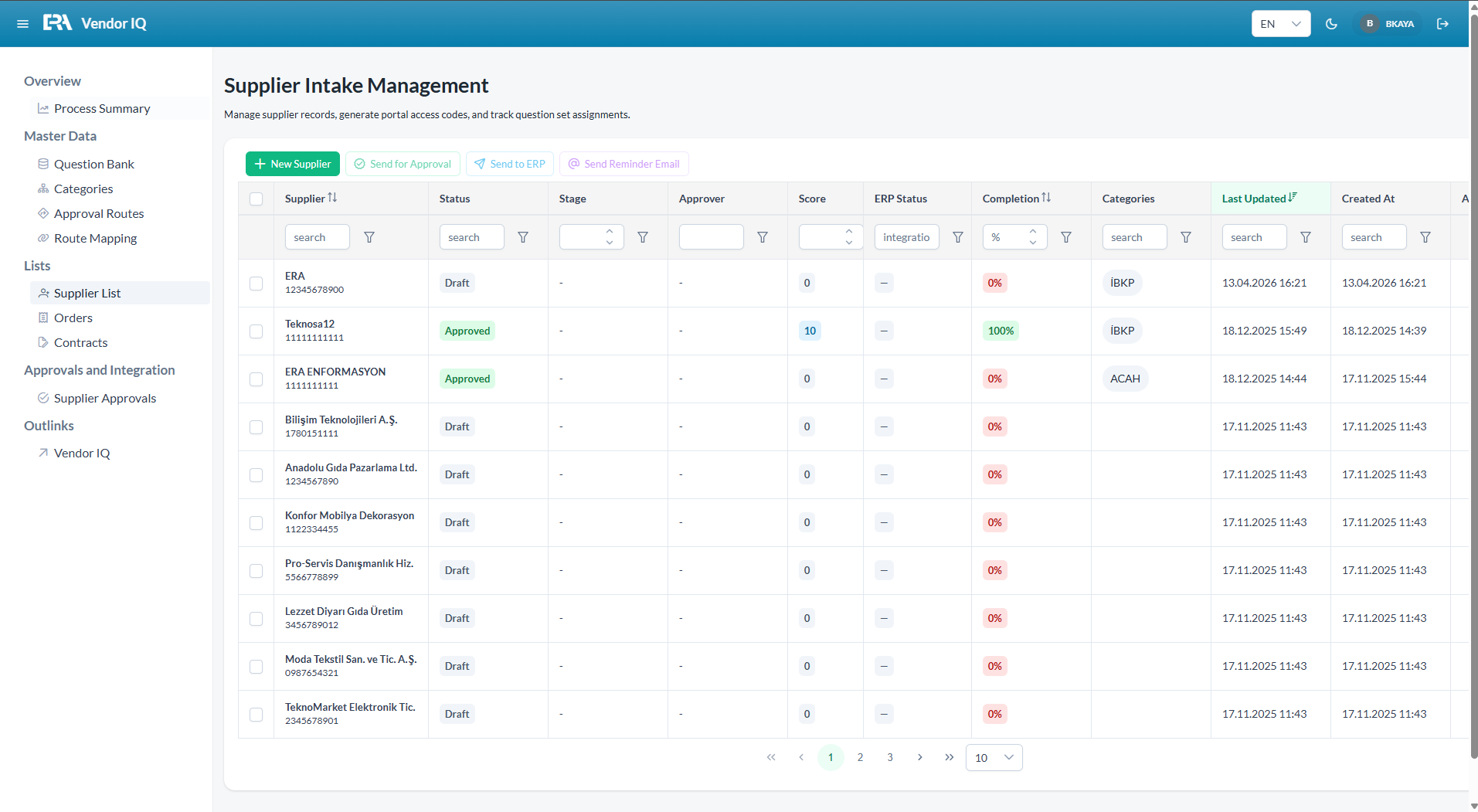
Status, evaluation score, approval stage and ERP transfer status are all monitored from a single screen.
Control Panel
USE CASES
For Organizations Looking to Strengthen Supplier Master Data Quality
Vendor IQ is designed for organizations looking to improve ERP master data quality, standardize procurement processes and make supplier onboarding processes traceable.
Organizations working with many supplier candidates
Companies looking to improve supplier master data quality in ERP
Teams looking to digitalize procurement approval processes
Organizations looking to standardize the supplier risk evaluation process
Structures that do not want to transfer unapproved supplier records to ERP
Organizations managing suppliers across multiple companies, facilities or categories
Organizations looking to collect data via a supplier portal
Businesses looking to make their supplier onboarding process traceable
FREQUENTLY ASKED QUESTIONS
Questions You May Have
Which ERP systems does Vendor IQ work with?+
Vendor IQ can work with ERP systems that support web service integration, primarily Oracle JD Edwards EnterpriseOne and Oracle ERP Cloud. Supplier evaluation and approval processes can also be managed independently of ERP.
How does the document renewal process work?+
An annual, semi-annual or custom renewal period is defined for each question set. As the expiry date approaches, the system automatically sends notifications to both the relevant manager and the supplier. The updated question set and portal link are sent to the supplier; the renewal process starts automatically. If it is decided to no longer work with the supplier or they have been blacklisted, the system stops notifications and form sending for that supplier.
How does the supplier portal work?+
When the procurement team creates a new supplier record in the system, a portal access code is automatically generated and sent to the supplier via email. The supplier updates company information, uploads documents and completes question sets via their own dedicated link.
How are approval routes defined?+
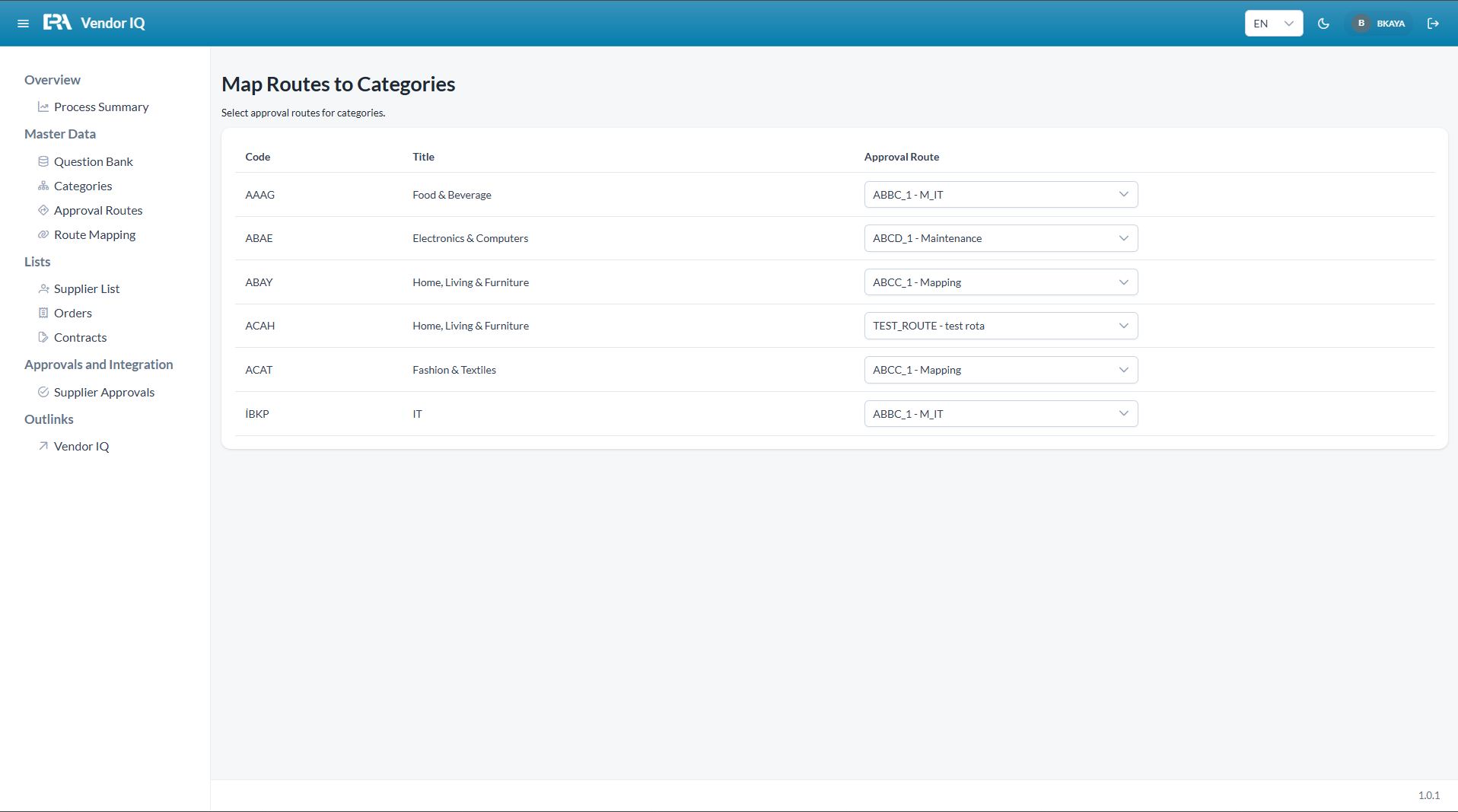
A separate approval route can be defined for each category. Routes consist of sequential approval steps, authorizing users and active/passive states. When a category enters the system, it is automatically routed to the correct route.
When does the ERP transfer take place?+
After the supplier evaluation and approval process is completed, the procurement team triggers the send-to-ERP operation. Data is transferred to ERP via web services; address book and supplier records are created.
LET’S EVALUATE TOGETHER
Let’s Digitalize Your Supplier Onboarding Processes Together
Let us together evaluate your supplier evaluation, document tracking, approval, portal and ERP integration processes; and plan the right Vendor IQ configuration for your organization.
Scroll to Top